Monday, 6 August 2012

SQL Tuning: Understand the problem you are going to solve

Problem:
Recently a report was handed over to me. It is to reconcile the trades received in our real time SWIFT messaging system with the data stored in the investment admin system. This report has to run two times per day, and requires near real time data.
During testing, we noticed that it took about two minutes for this report to complete. When this report was running with a lot of SWIFT messages fed into the system at the same time, some times we saw database timeout errors thrown out.
Analysis:
After taking a dig into this report, I found the bottleneck of the underlying SQL query was that it needs to retrieve records received during a certain date time range based on a field “ReceiveDateTime” in the message table. No index has been defined on this field, and it is something we do not want to do at all. Our messaging system is very busy especially during peak windows. Adding an index on this field will slow down the message persistence process, which was more than two times slower in our testing, whereas the performance gain of the report was only around 30 seconds less after adding the index.
What options can we have then?
Option:
A. Set up a reporting database using the SQL server transactional replication to have near real time data replicated from the production database to the reporting database. The report can then executed against the reporting database.
B. Further tuning of the underlying SQL query.
I tasked one team member to investigate option A. His testing shown that the transactional replication can replicate the changes within seconds. However, we do not have the luxury of setting up a standalone publishing server, which has to be set up on the same database server where a number of databases are hosted. We cannot tell what performance impact it will have on this server and on various applications without thorough testing. In addition, this report was developed to serve as a short-term solution. Do we really want to spend the time and effort required by this option for a one-off solution?
What is the real problem we are going to solve?
I asked myself, given a date time range, how can I retrieve the data from a database table quickly? As we all know, for a large amount of data, the cluster index seek operation is the most efficient way to select data. Is it possible for me to transform the problem of retrieving records within a date time range into a problem of looking for records given a start message ID and an end message ID? After examining the data at hand, the answer is YES.
The primary key of the message table, the message ID, is an auto-grown identity field. The "ReceiveDateTime" field is set at the time of inserting the message into the database table.  What does that mean? That means, the data we have are a set of ordered data by the primary key and the "ReceiveDateTime" field. The problem of searching records by "ReceiveDateTime" therefore can be translated into a problem of searching messages based on the message IDs.
For example, when asked to retrieve a range of data between "2012-07-01 08:00" and "2012-07-01 15:00", you are actually asked to search:
1. The start message ID with the receive date time being the closest to, >=, "2012-07-01 08:00".
2. The end message ID with the receive date time being the closest to, <=, "2012-07-01 15:00"
What is the classic search algorithm popping up in your mind when given a set of sorted data? To me, it's binary search. I then implemented in SQL a twisted version of the binary search algorithm to locate the closest message ID matching a given start date time, and the closest message ID matching a given end date time.
In my search, I do not want to search all the records stored in the table. I implemented the following to take a best guess of the start and end message ID at the very start before any binary search:
Given:
The average number of messages received per day: N.
The top 1 Message ID, hm, and ReceiveDateTime, hd, in descending order from the message table at the time of searching.
The top 1 Message ID, lm, and ReceiveDateTime, ld, in ascending order from the message table at the time of searching.
1. If the given start date time > hd, the start day is in the future, no point of doing any search. Return.
2. If the given start date time < ld, the start day is out of scope. Return.
3. If the given start date time = hd or the start date time = ld, bingo, return the message Id, hm or lm.
4. Calculate the difference D = the current day - the start date time in terms of day.
5. Take a guess of the start message ID = m - (D + 1) * N.
6. If the receive date time of the message ID <= the given start time, binary search the start message time with the message ID ranging between and m.
7. If the receive date time of the message ID > the given start time, take another guess till the message ID <= the given start time. Repeat 6 to locate the closest message ID matching the given start date time.
It is a very similar algorithm with a minor difference to locate the closest end message ID matching the given end date time.
After the change together with some other minor query changes, the improvement is dramatic - the running time of this SQL query has been reduced from around two minutes down to less than one second.

Wednesday, 1 June 2011

Garbage collection in Objective-C and C#

In C#, or more precisely CLR .Net, developers are freed from manually allocating and freeing the memory for managed objects. But for unmanaged resources, developers must dispose them explicitly, otherwise memory leaks. In Objective-C, it's very similar to C/C++, you must and must only release objects you create.

Both languages have implemented an automatic garbage collection mechanism with two different algorithms, Reference counting by Objective-C., and Mark-sweep-compact by CLR .Net.

In Objective-C, when an object is initialized, it has a reference count of 1. when it is retained by some other object, its reference count is incremented by 1. When it receives a release message, its reference count is decremented by 1. When the reference count of an object is 0, the system treats it as garbage and deallocates the memory it occupies. Reference counting is an algorithm easy to understand. Compared with other garbage collecting algorithms, one strong point of reference counting is that it won't suspend applications from running during garbage collection. Reference count is incremented or decremented while the application is running. Developers are responsible for maintaining the reference count of objects they create by sending retain or release/autorelease messages to the objects.

But when there are cyclical references among objects, reference counting does not quite work. To work around retain cycles, Objective-C introduces weak reference. For example, x holds a strong reference to y, while y has a weak reference to x. X cannot be deallocated if any other object holds a strong reference to it. But when no object has a strong reference to x, even though y has a weak reference to x, x can be deallocated. In CLR .Net there is also a weak reference type, which I will talk about it later.

CLR implements a generational mark and compact garbage collecting mechanism. Objects are allocated in an area called the managed heap. The managed heap is different from the native C runtime heap in that it is a reserved continuous block of memory. Traditionally, objects are scattered in the native heap wherever the system can find a spot that is large enough to hold an object. The managed heap is continuous and hence it is really fast to allocate space for new objects. The managed heap is divided into 3 sections, generation 0, 1 and 2. CLR has a NextObjPtr pointer to keep track of where to put the next object. Each generation has a size limit. The size is not fixed. The garbage collector collects the statistics of your application and adjusts the size of each generation as it goes.

Now let's look at how the garbage collector works. When a method in your application gets executed, primitive types are stored in the stack. Reference types are created in Generation 0 on the managed heap. The NextObjPtr gets updated and point to the next available spot. When the method finishes execution, the stack gets cleaned up right away, but the reference types are not. The garbage collector does not deallocate reference types until Generation 0 is filled. How does it know? It could be a test against a threshold value, or the NextObjPtr points beyond Generation 0. The garbage collector will then kicks in and starts marking. It starts from the reference objects used in the current method, the so called roots, traverse to build a reference graph of all other objects referenced by the roots - they are marked as reachable objects. All non-reachable objects are treated as garbage and deallocated. Cyclical reference of objects is not an issue here. As long as these objects are not referenced by a root object, they are deemed as unreachable and will be swept. Any objects survived in the sweep are then compacted and promoted to Generation 1.

When garbage collector kicks in, all running threads are suspended so that garbage collector can analyse the managed heap and build the reference graph. When objects are compacted and moved, all pointers to these moved objects are updated to point to the new addresses by the garbage collector.

Once the garbage collection completes, the application resumes running. New objects are allocated in Generation 0. When Generation 0 is filled, garbage collector starts again. Will it clean up Generation 1? It all depends on if Generation 1 is filled or not. If not, garbage collector will not examine Generation 1. The fact may be that the objects stored in Generation 1 are not used any more and are truly rubbish, but garbage collector will leave them in memory unless Generation 1 is running out. The garbage collector will then work on Generation 1. Objects survived the collection in Generation 1 are compacted and promoted to Generation 2. Again, the garbage collector only cleans up Generation 2 when Generation 2 is filled. Survived objects in Generation 2 just stay in Generation 2. The idea of generational garbage collecting is to improve performance because examing all generations each time is expensive. The garbage collector may not compact objects each run. If the gap in memory is small, it will not compact to save the effort of moving objects around and updating the references to these objects.

So we can see some of the ideas behind the garbage collecting mechanism in CLR .Net:
1. The newer the object the shorter its life cycle might be.
2. The older the object the longer it tends to stay.
3. The more continuous the available space in the heap, the faster to allocate new objects.
4. The fewer generations to examine, the faster the garbage collecting runs.

Similar to Objective-C, .Net has a WeakReference type. E.g. these types can be referenced by other objects but that does not prevent them from being deallocated by the garbage collector. The WeakReference type may be used in a caching mechanism. But since garbage collection is not deterministic and may be more frequent than one would expect, it may not be a good way of implementing caching.

In summary, Objective-C encourages developers to leave as few memory prints as they could. While the desinger of CLR .Net believes memory management is not an easy task and therefore should be taken over by the system - performance can be sacrificed for the sake of safety.

Sunday, 10 April 2011

Programming objective-C/Cocoa frameworks on Windows 1 - Install GNUStep and Hello World

I have started exploring the possibility of programming objective-c with Cocoa frameworks on Windows over the weekend.

Objective-C is a super set of C. All native C code can be compiled down by an objective-c compiler. If I only want to play with objective-C the programming language without the Cocoa frameworks provided by Apple, a standard gcc compiler is enough.

To program in objective-C and play with the Cocoa frameworks on my Windows 7, I need to install GNUStep for Windows. GNUStep not only provides an objective-C compiler but also a robust implementation of the foundation, AppKit, and UIKit libraries in the Cocoa frameworks. Developers can program with Cocoa frameworks on many platforms using GNUStep. It is a good tool to give the apple a bite.

To get started, download the GNUStep windows installers and install them in the following order:
  • gnustep-msys-system-0.22.1-setup.exe
  • gnustep-core-0.22.0-setup.exe
  • gnustep-devel-1.0.0-setup.exe
  • ProjectCenter-0.5.0-setup.exe
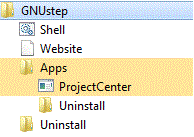
After installation:


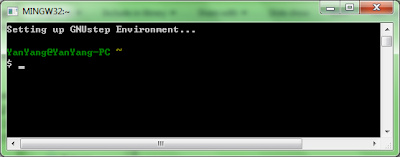
Click Shell and a MinGW window starts:


I can't wait to say "Hello world!".

Start NotePad++, create a Helloworld.m file.

#import <foundation foundation.h>
int main (void)
{
    NSLog(@"Hello world!");
    return 0;
}

Create a GNUMake file in the same directory.

include $(GNUSTEP_MAKEFILES)/common.make

TOOL_NAME = HelloWorld
HelloWorld_OBJC_FILES = helloworld.m

include $(GNUSTEP_MAKEFILES)/tool.make

From the shell window, navigate to my source file folder and type "make". My first application is built.


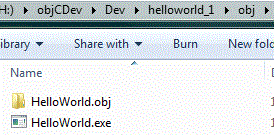
After the "make" commad, a sub folder "obj" has been created with the following items:


To run the Helloworld.exe, in the shell window, type "obj/Helloworld" and you'll see the "Hello world!" greeting in the shell window.

The above is not a very exciting example. How about changing the code and play with AppKit a bit:

#import <foundation foundation.h>
#import <appkit.h>
int main (void)
{
  NSAutoreleasePool *pool = [NSAutoreleasePool new];
  [NSApplication sharedApplication];
  NSRunAlertPanel (@"Test", @"Hello world!", nil, nil, nil);
  [pool drain];
  return 0;
}

The GNUMake file will also need to be modified:

include $(GNUSTEP_MAKEFILES)/common.make

APP_NAME = HelloWorld
HelloWorld_OBJC_FILES = helloworld.m

include $(GNUSTEP_MAKEFILES)/application.make

In the shell window, type "make clean" to cleanup the previous make, then "make".
To run the application, type "OpenApp Helloworld", and a message box will pop up:


Now I have a development environment and a running application - good progress!

Thursday, 31 March 2011

Quotes to share among software developers

I have been migrating a functionality from VB6 to .Net code. Tasks like this can be tricky. Normally, the original developer is no longer around left behind him/her a piece of code with no documentation about the business rules - they are hidden gems to be discovered.

I started reading the code. Anyway, the code is the best documentation a developer can have. The frustrating bit is that the main method printed out to be 5 double sided A4 pages. FIVE double sided pages of code for a single method! Every time I see code like this, I want to cry it out - could you mighty developer have some sympathy towards those who end up maintaining your great piece of work? Could you at least cut it into shorter methods with meaningful names (function names and variable names)?

Quotes like the following should be shared among developers. Something I'd love to remind myself from time to time so that people who picks up my work later won't want to kill me. I admit that sometimes I couldn't understand my own code in couple of months time, but I promise that I won't write a single method lasts for pages and pages ;).

Always code as if the person who ends up maintaining your code will be a violent psychopath who knows where you live.
-- [source]


... nearly everybody is convinced that every style but their own is ugly and unreadable. Leave out the "but their own" and they're probably right...
--Jerry Coffin (on indentation) [source]


If you need more than 3 levels of indentation, you're screwed anyway, and should fix your program.
--Linux 1.3.53 CodingStyle documentation [ source]


It's OK to figure out murder mysteries, but you shouldn't need to figure out code. You should be able to read it.
--Steve McConnell [ source]


If the code and the comments disagree, then both are probably wrong.
--attributed to Norm Schryer  [source]


If you have a procedure with ten parameters, you probably missed some.
--[source]

 
Why do we never have time to do it right, but always have time to do it over?
--Anonymous [ source]


Computers are high-speed idiots, programmed by low-speed idiots
-- [source]


Wednesday, 16 March 2011

How to move a borderless window

I had to display a warning message sitting on top of all other windows. I created a borderless form and pinvoked a windows API function in my C# code to achieve this.

However, I found that I couldn't move the borderless window using the mouse. The border actually responds to all resize and position messages. To move a borderless window, the following is needed.

Two API methods:
[DllImport("user32.dll")]
public static extern bool ReleaseCapture();

[DllImport("user32.dll")]
public static extern IntPtr SendMessage(IntPtr hWnd, int msg, int wParam, int lParam);

Handle the mouse down event in the borderless window:
private const int WM_NCLBUTTONDOWN = 0xA1;
private const int HT_CAPTION = 0x2;
 private void borderlessWindow_MouseDown(object sender, MouseEventArgs e)
  {
            if (e.Button == MouseButtons.Left)
            {
                ReleaseCapture();
                SendMessage(this.Handle, WM_NCLBUTTONDOWN,  (IntPtr)HT_CAPTION, IntPtr.Zero);
            }
 }

Saturday, 12 March 2011

SQL Error Severity and Level Cheat Sheet

Sometimes I have to raise errors manually inside a stored procedure. It will be handy to have an error severity cheat sheet.

Code Description
1 - 9Informational messages/warnings.
10N/A. @@ERROR won't be set.
11 - 16Regular programming errors. Level 16 is not more serious than 11
11Specified Database Object Not Found
12Unused
13User Transaction Syntax Error. E.g. deadlock.
14Insufficient Permission
15Syntax Error in SQL Statements
16Miscellaneous User Error
17Run out of a configurable resource, such as locks
18Nonfatal internal software problems
19Nonconfigurable resource limit has been exceeded
20An error with a statement issued by the current process
21SQL Server has encountered a problem that affects all the processes in a database
22A table or index has been damaged
23The integrity of the entire database is affected and the database will be marked suspect
24Hardware problem
25System error

Monday, 7 June 2010

C#: Per-process CPU Usage and Network IO Tracking using PerformanceCounter

I have been tacking per-process CPU percentage and Network IO data bytes in my recent project using System.Diagnostics.PerformanceCounter class. I felt the online materials I found does not explain the usage of the PerformanceCounter very well.

Some basics about PerformanceCounter.
1. A performance category has many performance counters underneath. A performance counter may be single-instanced or contain multiple running instances. The structure is like this:
PerformanceCategory
    -- PerformanceCounter
        -- Instances
To get all the built-in categories:
PerformanceCategory.GetCategories()

To get all the counters under the category that has exactly one running instance:
PerformanceCategory.GetCounters()

2. The constructor to create a performance counter is:
PerformanceCounter(string categoryName, string counterName, string instanceName.

To monitor the IO (file or network) data bytes sent/received by FireFox:
PerformanceCounter counter = new PerformanceCounter("Process", "IO Data Bytes/sec", "firefox");

To monitor the CPU percentage used by FireFox:
PerformanceCounter counter = new PerformanceCounter("Process", "% Processor Time", "firefox");

3. To take a sample and get the calculated value:
counter.NextValue();
Before calling this method, make sure you wait for at least one second.
counters.Add(new PerformanceCounter("Process", "IO Data Bytes/sec", "firefox"));
counters.Add(new PerformanceCounter("Process", "% Processor Time", "firefox"));

System.Threading.Thread.Sleep(1000);

foreach(PerformanceCounter counter in counters)
        Console.WriteLine(string.Format("{0}:{1}}, counter.CounterName, counter.NextValue());

Some lessons I have learned:
1. The calculated value of the first sample is always 0. E.g. the very first time you call NextValue(), the returned value is always 0.

2. If an application has more than one running instances, even though from the Task Manager, these running instances all have the same process name, E.g. "TestProcess", their instance names are not the same. The instance started first has its name as "TestProcess", the second "TestProcess#1", the third "TestProcess#2"...the nth, "TestProcess#n". So make sure the right instance name gets passed into the performance counter constructor.

3. If any of the running instances of the same application exits, the instance names will be changed. If your code doesn't update the instance name accordingly, an "Instance not found" error will occur.

E.g. If "TestProcess" of the 2 running instances, "TestProcess" and "TestProcess#1", stopps running, "TestProcess#1" will be renamed to "TestProcess". If the counter still has the name "TestProcess#1", it will throw an exception when NextValue() is called. The instance name can be updated by simply calling counter.InstanceName = "new instance name".

4. In my case, I am only interested in getting per-Process statistics. Unfortunately, the PerformanceCounter does not operate against the process id. To get around this limitation, I have created my own wrapper class called ProcessPerformanceCounter.
public class ProcessPerformanceCounter
{
    ...
    public ProcessPerformanceCounter(string counterName, int processId) {...}
    public string CounterName {get{...}}
    public string InstanceName {get{...} set{...}}
    public NextValue(){...}
}

Based on the process id, I can get the process name. I can then get all running processes under the same name. From there, I can get the correct instance name for that particular process:
private string GetInstanceName(int processId)
{
        string instanceName = GetProcessNameById(processId);
        bool found = false;
        if (!string.IsNullOrEmpty(instanceName))
        {
                Process[] processes = Process.GetProcessesByName(instanceName);
                if (processes.Length > 0)
                {
                        int i = 0;
                        foreach (Process p in processes)
                        {
                                instanceName = FormatInstanceName(p.ProcessName, i);
                                if (PerformanceCounterCategory.CounterExists("ID Process","Process"))
                                {
                                        PerformanceCounter counter = new PerformanceCounter("Process", "ID Process", instanceName);

                                        if (processId == counter.RawValue)
                                        {
                                                found = true;
                                                break;
                                        }
                                }
                                i++;
                        }
                }
        }

        if (!found)
                instanceName = string.Empty;

        return instanceName;
} 
 
private string FormatInstanceName(string processName, int count)
{
        string instanceName = string.Empty;
        if (count == 0)
                instanceName = processName;
        else
                instanceName = string.Format("{0}#{1}", processName, count);
        return instanceName;
} 
 
5. When calling counter.NextValue(), do not forget to handle the instance name changed scenario:
public float NextValue()
{
        float nextValue = 0;
        try
        {
                nextValue = counter.NextValue();
        }
        catch (Exception ex)
        {
                if (InstanceNotExistError(ex))
                {
                        // adjust instance name based on process id
                        instanceName = GetInstanceName(processId);
                        counter.InstanceName = instanceName;
                        nextValue = counter.NextValue();
                }
                else
                        throw;
        }

        return nextValue;
} 

Tuesday, 1 June 2010

C#: Policy based actions in C# using the Action delegate

I think it is not just me that, as a C# developer, sometimes I want that AOP feature so badly. Yes, a lot of AOP features can be simulated, but it's not that easy and mostly comes with a penalty of performance.

For example, I want to have some custom exception handling policy. It would be neat if I could simply decorate the method with an attribute as below.

[ExceptionHandlePolicy]
public void Method(){...}

To achieve this in C#:
  1. An attribute class implementing the IMessageSink is to be defined;
  2. The class, to which this attribute is going to be applied, must inherit from ContextBoundObject or MarshalByRefObject. 
Ehmmmm...all these are not easy changes to the existing code base, and the change to hook into the message sink will degrade the overall performance for sure.

The other way around, is to use the Action delegate from the .Net Framework to help to build a custom exception handling policy class.

public class RetryPolicy
{
    ...
    private Action _action;
    ...
 
    public RetryPolicy(Action action)
    {
        _action = action;
    }

    public void Execute()
    {
        int retryCount = 0;
        if(_action != null)
        {
            while(retryCount < MAX_RETRY)
            {
                try
                {
                    _action();
                    retryCount = MAX_RETRY;
                }
                catch(Exception ex)
                {
                   if(ShouldRetry(ex) && retryCount < MAX_RETRY)
                        i++;
                   else
                        throw;
                }
            }
        }
    }
    ....
}

To apply my custom retry policy, I can modify the existing data access layer slightly.

public static string GetConfigurationValue(string dbConnString, int configId)
{
    string configValue = string.Empty;
    RetryPolicy policy = new RetryPolicy( () =>
    {
        using(TestDAL dal = new TestDAL(dbConnString))
        {
            configValue = dal.GetConfigurationByValue(configId);
        }
    });

    policy.Execute();
    return configValue;
}

Thursday, 1 April 2010

SQL Server 2005: How to report time-series data in vanilla SQL

Let's assume I have a table recording some user session data like the following.


Now, I want to report the number of concurrent sessions at a 5 minute interval. Suppose the report time window is from 7 am - 7 pm. How to build a time series table?


The SQL above gives a time series table like: 07:00 07:05 07:10 07:15 ... 20:00

Define the report table as this


Let me populate the report table using the query as below.


I can see at what time on which day of the month the system has the max concurrent session.

Friday, 19 February 2010

A Custom BizTalk File Adapter - BizTalk 2006 R2

The native FILE adapter released with BizTalk eats all zero-byte (empty) files without triggering any associated processes. This behaviour, according to Microsoft, is by design. Though you can argue that it is not consistent how empty files are treated by different adapters, e.g. FTP adapter can transfer empty files with no problem.

This behaviour has caused us grief after an upgrade of a third-party system. The system now creates an empty trigger file first without locking it. Then it grabs the file again and writes some data to it. So you see the problem here, the BizTalk FILE adapter may grab the file AFTER the system creates the empty file but BEFORE the system attempts to write to it.

What we want here is to have a custom file adapter that will ignore zero-byte files and leave them untouched.

After reading this good MSDN article, I got some idea and am ready to give it a go.

I go to the AdaptersDevelopment folder which is part of the BizTalk 2006 SDK.


Open the File Adapter folder.


Open the project file under the Runtime folder. I found DotNetFileReceiverEndpoint.cs is the file I'm interested in. The DotNetFile adapter is implemented as a Timer thread which checks the configured folder at the configured polling interval. To make it to ignore zero-bytes files, one change is required in the PickupFilesAndSubmit() method. I've made some other changes to suit my specific needs but the change highlighted below is the most important one.


I then open the Design Time folder, and edit the ReceiveLocation.xsd. This file defines the configuration properties that will display for the custom file adapter. I don't want to have some property to be mandatory so I change it to optional in the schema file.


Compile the Runtime and Design time projects. GAC the Microsoft.Samples.BizTalk.Adapter.Common.dll under C:\Program Files\Microsoft BizTalk Server 2006\SDK\Samples\AdaptersDevelopment\BaseAdapter\v1.0.2\bin\Debug.

Go back to the File Adapter folder, there are 2 .reg files. If you want to use the provided configuration UI, open StaticAdapterManagement.reg and make sure everything is correct or update the file paths to wherever the compiled DLLs are saved. Then simply double click DynamicAdapterManagement.reg to register the new custom file adapter. If you want to customize the property configuration UI, use DynamicAdapterManagement.reg instead.


Start up BizTalk Admin console, add the new adapter. The newly registered "Static DotNetFile" will appear in the Adapter dropdown list.


OK, the custom file adapter is all ready to be used! And it's not hard at all to re-brand the file adapter if you need to.

Wednesday, 23 September 2009

Multi-threading with the help of Extension method

I love Extension methods!

For people who work with multi-threaded windows forms application, it's common to write code like this:

public void BindNewLoginList(object logins)
{
if (dgvLogins.InvokeRequired)
{
dgvLogins.BeginInvoke((System.Threading.ThreadStart)delegate()
{
BindNewLoginList(logins);
});
return;
}
dgvLogins.DataSource = logins;
}
But with the new extension feature of .Net Framework, I can create a method like this:
public static void ThreadSafeInvoke(this System.Windows.Forms.Control control, System.Threading.ThreadStart method)
{
if (control.InvokeRequired)
control.BeginInvoke(method);
else
method.DynamicInvoke();
}
Now, I simply call this method from any windows control, and it will take care of checking of the caller and invoke the method accordingly. How nice and neat it is!
public void BindNewLoginList(object logins)
{
dgvLogins.ThreadSafeInvoke(() => dgvLogins.DataSource = logins);
}

Thursday, 6 August 2009

SQL: A recursive query for a self-reference table

I was working with a self-reference table and wanted to query the parent-child relationship.


Say, given an ExceptionRepositoryId, I want to display all its children. After a little while I came up with a recursive SQL:
DECLARE @parentId int
SET @parentId = 210;

WITH TEMP (ExceptionRepositoryId, ParentExceptionRepositoryId)
AS
(
SELECT
ExceptionRepositoryId, ParentExceptionRepositoryId
FROM
dbo.tbl_ExceptionRepository
WHERE
ExceptionRepositoryId = @parentId
UNION ALL
SELECT
t1.ExceptionRepositoryId, t1.ParentExceptionRepositoryId
FROM
dbo.tbl_ExceptionRepository t1
inner join TEMP t2 ON t1.ParentExceptionRepositoryId = t2.ExceptionRepositoryId
)
SELECT * FROM TEMP
And I am happy to get the results like the following:

Friday, 31 July 2009

Entity Framework: Error 2048 when using custom stored procedures

I was trying to map my custom stored procedures to Insert/Update/Delete functions on the Entity Framework model designer. After hitting the "Save" button, I got 2 error messages like the following:

Error 2048: The entity set '[set name]' includes function mappings for association set '[fk name]', but none exists in element 'DeleteFunction' for type '[entity type name]'. Association sets must be consistently mapped for all operations.

I was confused, why do I need to have association mapping in the delete function? After a bit of searching and digging, here are the findings.

First, let's have a look at the two Entity models in question.

I have a 1-to-many relationship from left to right between ExceptionSource and ExceptionRepository. Besides, there is a self reference 1-to-many relationship on ExceptionRepository.

To avoid the mapping error 2048 , in my ExceptionRepository delete stored procedure, I have to include the two FKs ExceptionSourceId and InnerExceptionRepositoryId. Even though I don't really need to use these two keys in the delete stored procedure.


To conclude, if you want to map custom stored procedures to Entity functions:
1) you must map all Insert/Update/Delete functions.
2) include the FKs in the delete function if any defined in the source table.

Friday, 24 July 2009

Switched back from my other blog...

Ported all the old work related posts from the other blog I have.

I think I'll stick to this one from now on...

Catch unhandled exceptions in Windows Forms applications

The company I am working for has developed a Windows Forms application Framework. New applications are developed as plug-ins to this Framework. Our team is looking at catching all unhandled exceptions globally and log all these exceptions in a central repository.

After spending a little time on MSDN, I found this very helpful piece of information.

To handle all UI thread exceptions, the .Net Framework provides Application.ThreadException.To handle all non-UI thread exceptions, AppDomain.CurrentDomain.UnhandledException.

One thing worth noting is that UnhandledException won't prevent the application from terminating. But before the application terminates, you are given a chance to log the error or display some custom message to the users. And that's what I am looking for.

Here is the sample code from the MSDN article.
// Starts the application. 
[SecurityPermission(SecurityAction.Demand, Flags = SecurityPermissionFlag.ControlAppDomain)]
public
static void Main(string[] args)
{
// Add the event handler for handling UI thread exceptions to the event.
Application.ThreadException +=
new
ThreadExceptionEventHandler(ErrorHandlerForm.Form1_UIThreadException);

// Set the unhandled exception mode to force all Windows Forms errors to go through our handler.
Application.SetUnhandledExceptionMode(UnhandledExceptionMode.CatchException);

// Add the event handler for handling non-UI thread exceptions to the event.
AppDomain.CurrentDomain.UnhandledException +=
new UnhandledExceptionEventHandler(CurrentDomain_UnhandledException);

// Runs the application.
Application.Run(new ErrorHandlerForm());
}

SSIS: Retrieve data from Recordset Destination

Some times when developing a SSIS package, it is handy to import data into an in-memory Recordset instead of a file or a database table.

However SSIS doesn't provide out of box support for reading data from a Recordset. A little workaround is required to make this working.

First, define a user variable of type "object".
Then map the varaible with the Recordset Destination object.


The last step is to drag a Script task onto the Control flow. Put the following code in the script and you are blessed with a DataTable object.

Dim dt As New Data.DataTable
Dim adapter As New Data.OleDb.OleDbDataAdapter
If Dts.Variables.Contains("RGRecordset") Then
adapter.Fill(dt, Dts.Variables("RGRecordset").Value)
End If

SSIS: Import multiple Excel files into database with Foreach Loop Container

I wanted to import more than 60 Excel files into a database table the other day. Foreach Loop Container really helped to perform the task.

I started with creating an Excel Connection Manager. I hard coded the file path to make the BI designer happy. Then in the Properties window of the Excel Connection Manager, I set the “ExcelFilePath” and/or “Server” to the value of the pre-defined user variable. I probably only need to set “ExcelFilePath”, but anyway I just wanted to make these values consistent.


Then I dragged a Foreach Loop container onto the Control Flow. From the Properties window of a Foreach Loop Container:
1) Foreach File Enumerator.
2) Hard coded the Folder path to please the designer, and set the file mask and the return value.
3) Added an Expression so that the value of “Directory” is actually set by a user variable I defined earlier. One thing that bugs me a litter is – it is called “Folder” on the screen but ‘Directory” in the Expressions list.


4) In the Variable Mappings section, I set the return value to the user variable.


Now I could drag a Data Flow Task into the Foreach Loop Container, and load data from an Excel file to a database table. Of course the Excel Data Source uses the Excel Connection Manager I created in the first step.

To make the life in the multithreaded world easier 2

As I mentioned in my To make the life in the multithreaded world easier 1, I kept writing code as below to check the "InvokeRequired" property to check if the method is invoked from a worker thread or the main thread.
private void DoSomethingFunction()
{
if(this.InvokeRequired)
{
this.BeginInvoke((System.Threading.ThreadStart)delegate()
{
DoSomethingFunction();
});
return;
}
// Do something here
}
After doing the check again and again, I started to ask myself - is there a way to abstract it a bit so that I don't need to repeat myself?

And this is what I come up with - a class acts as a smart agent:
Public class AsyncCall
{
public static void AutoBeginInvoke(System.Windows.Forms.Control targetControl, Delegate targetMethod)
{
if (targetControl.InvokeRequired)
targetControl.BeginInvoke(targetMethod);
else
targetMethod.DynamicInvoke(null);
}
}
This method checks to see if this method is invoked from a worker thread or from the main thread where the windows control is created, and invoke the method accordingly.

Our DoSomethingFunction() can be rewritten as:
private void DoSomethingFunction()
{
AsyncCall.AutoBeginInvoke(this, (System.Threading.ThreadStart)delegate(){// Do something here});
}
Let's have a more concrete example, say I want to update a textbox or a label in a thread safe way, in the past, I have to do things like this:
private void UpdateTextBox()
{
if(textBox1.InvokeRequired)
{
textBox1.BeginInvoke((System.Threading.ThreadStart)delegate()
{
UpdateTextBox();
});
return;
}
textBox1.Text = "Update test";
}

private void UpdateLabel()
{
if(lbl1.InvokeRequired)
{
lbl1.BeginInvoke((System.Threading.ThreadStart)delegate()
{
UpdateLabel();
});
return;
}

lbl1.Text = "Update test";
}
Now I simply call:
private void UpdateTextBox()
{
AsyncCall.AutoBeginInvoke(textBox1, (System.Threading.ThreadStart)delegate(){textBox1.Text = "Update test"});
}

private void UpdateLabel()
{
AsyncCall.AutoBeginInvoke(lbl1, (System.Threading.ThreadStart)delegate(){lbl1.Text = "Update test"});
}
Some people may want to separate the anonymous part
(System.Threading.ThreadStart)delegate(){ //do update}
into a different method.But I found it quite nice and neat here.

What if I want to pass parameters to my update method? Then some delegate accepting parameters have to be created.

You can have a delegate defined as this:

public delegate void SomeDelegate(string args);

Then add a new method in AsyncCall class:
public static void AutoBeginInvoke(System.Windows.Forms.Control targetControl, SomeDelegate targetMethod, string args)
{
if (targetControl.InvokeRequired)
targetControl.BeginInvoke(targetMethod, args);
else
targetMethod.DynamicInvoke(args);
}
This is your new UpdateTextBox method:
private void UpdateTextBox()
{
AsyncCall.AutoBeginInvoke(textBox1, (SomeDelegate)delegate(string args){textBox1.Text = args;}, "update test");
}
What if I want to do a search, and after getting the search result back I want to do something else.

Normally, we would have:
public ILIst delegate SomeSearchDelegate();

private IList Search()
{
IList result = null;

// Do search here...

return result;
}

private void OnSearchCompleted(IAsyncResult ar)
{
SomeSearchDelegate del = ar.AsyncState as SomeSearchDelegate;

IList result = del.EndInvoke(ar);

// Do some post search processing...
}

private void SomeSearchMethod()
{
SomeSearchDelegate del = new SomeSearchDelegate(Search);
del.BeginInvoke(OnSearchCompleted, del);
}
To do the task using AsyncCall class, we can define another method in the AsyncCall class:
public static void AutoBeginInvoke(SomeSearchDelegate targetMethod, AsyncCallback callbackMethod)
{
targetMethod.BeginInvoke(callbackMethod, targetMethod);
}
So the SomeSearchMethod() can be rewritten as:
private void SomeSearchMethod()
{
AsyncCall.AutoBeginInvoke(
(SomeSearchDelegate)delegate()
{
IList result = null;
// Do search here...
return result;
},
(AsyncCallback)delegate(IAsyncResult ar)
{
SomeSearchDelegate del = ar.AsyncState as SomeSearchDelegate;
IList result = del.EndInvoke(ar);
// Do some post search processing...
});
}

Hope what discussed above is not as clear as mud to the readers ;)...

To make the life in the multithreaded world easier 1

I haven't done any serious windows forms development till this recent 6 months. Prior to that, I may have done some small desktop tools here and there, but they are in no means serious enough. Most of my work in the past were Asp.Net, MOSS, SQL Server... but no Windows forms applications.

In my recent windows application development work, I came across a lot of code like this:

private void DoSomethingFunction()
{
if(this.InvokeRequired)
{
this.BeginInvoke((System.Threading.ThreadStart)delegate()
{
DoSomethingFunction();
});
return;
}

// Do something here
}
"this" in the code snippet is normally some windows forms control or user control. In .Net Framework 2, cross-thread accessing to a windows forms control is not allowed. So if you have some multi-threading code, you'll need to check the "InvokeRequired" property to determine if this method is invoked by a worker thread or the main thread, and do things appropriately for the two scenarios.

But there is this "hidden" issue with "InvokeRequired", which is not documented. After we have this application deployed to UAT, the testers reported that sometimes (most of the time it's when they first launched the application), if they didn't wait for a few seconds, but click straight to the left hand side navigation node to open a tab window, the application simply went hanged.

This was an issue of intermittent nature and hard to re-produce this in the developer's machine. I studied the code again and again and couldn't see anything wrong.

Luckily I found this very good article "Mysterious Hang or The Great Deception of InvokeRequired" at http://ikriv.com:8765/en/prog/info/dotnet/MysteriousHang.html. This nice guy presented a thorough case study on why your .Net 2 multithreaded UI may hang from time to time.

This issue is related to the fact that .Net defers the creation of real win32 window as much as possible due to performance consideration. The window handle will be created when the control needs to be actually shown on screen or when the control.handle is requested programatically. Before a real window handle gets created (rarely but due to some race condition), the control.InvokeRequired may return a deceptive value (it always returns false in that case), and the calls from a non-GUI worker thread to the GUI might cause some unexpected behaviour.

Back to our application, when the tab form is loading, we have worker threads to do things asynchronously to make the UI more responsive to the end users. When the async work is done, the worker thread will then try to update the UI and that's when the "InvokeRequired" property is checked. However, as mentioned above, at that time if the win32 handle for our tab form hasn't been created at all, the mysterious hang will kick in. Mystery solved!

The quick fix is when registering the view (the windows control) with the controller (MVC pattern), call the control.Handle programatically before firing up any async calls.